Showing posts with label Internet. Show all posts

Google Search features Explained

google search
Google not only find your favorite Website but also can do everyday tasks.
You can see weather, time of any country, City, You can do Calculations, You can do Conversions, You can find the Scores of your favorite Team, You can see Definitions of any Word, Spell Check your Words, Movie Show times. And many more tasks just by typing in the right phrase in Google!

Google “I ‘m feeling Lucky” secret Tricks [UPDATED]

im-feeling-lucky

Google has become so ubiquitous in the web world, it’s no wonder that it became synonym for the Internet, it’s a wonder people surf Internet yet they don’t know Google in the other way round .
How many times have you made searches on Google? How you search on Google ,you see search bar enter a key word and you click on Google search, you see I’m Feeling Lucky button just besides the Google search button, have you ever clicked on I’m Feeling Lucky button, what does it do ?
The "I'm Feeling Lucky" button automatically takes you to the first web page
returned for your query.
An "I'm Feeling Lucky" search means less time searching for web pages and more time looking at them.
After a thorough study and searching here I bring you 10 most interesting tricks and ‘Keywords’ which you enter in Google search bar and press the I’m feeling lucky button would results in funny rather peculiar results, the below are the following such keywords, enter them and experience the results.

Facebook vs Google Plus [Infographic]

facebook_vs_google
Since Google Plus is out, the competition  between Facebook and Google plus have gone Real Hard.
Google+ and Facebook have both been updated with features designed to make it easier for users to interact with one another and post information online.
Google+ users can now manage their contacts by adding them to circles directly from Gmail or Google Contacts, while profile information from Google+ contacts will automatically be added to the services.
Google has also made it easier to upload photos to the site by adding a "share" button alongside the "view" and "download" options when an image is received so it can be instantly added to the site.
Facebook have also Revamped its Profile to a scrapbook like graphical way Timeline, and is officially out. Read our Timeline post to get it Now!

How to Download any Video from the Web

Everyone likes to watch and share videos on the web. Youtube, Metacafe are few of the famous ones on the web.Best-Android-Browser-Apps-to-surf-the-Internet

But everyone Loves to download those Videos… There are many sites to download the videos from some of the famous video sharing sites like Keepvid.

But you can’t download every video with these services

When Embedding is disabled you can’t download it with the video downloading services.

Why to copy the url, go to a video downloading services and wait for the download to finish? We can do the same without downloading anything.

Show and Verify Passwords in text form instead of Asterisks

password


When entering a password credential into a password secret field on web page or form, normally the password is masked as asterisk so that no other people that happens to be around the computer will be able to read or view the password entered. So how to make sure and verify that password typed is correct? There are various programs to reveal the hidden asterisk password, however, View Passwords Bookmarklet proves to be easier.

How to find when you joined Facebook?

when-joined-facebook-date-300x149
Today I was thinking and looking for the exact date I joined Facebook, but didn’t found it easily.
Then I tried the following steps to find it out.

Get the new Google Homepage (Google bar)

New Google Bar
If you are searching the whole Internet for the new Google Homepage(Google bar), your search ends here. Do it by a simple tweak, somewhat similar that we did in YouTube new layout tutorial.

Facebook text symbols

How to use
Just copy-paste symbols that you like into your status, comments, messages. You can't put symbols into Facebook names due to recent change in Facebook.
It seems like some symbols can form "combos" (like in video games) =) and don't work if you put them one after another. So if you see some of your symbols turning into squares after you have put some new symbol into the input field - that might be a problem. To solve it just press "Ctrl" + "Z" and don't put these troublemaker symbols. Or put them in a first place.
Right-left
Notice that there are some right-to-left written symbols here, and if you put them - characters you put after them may appear before them. Tricky ones ^.^
Fonts
Funny thing about these symbols is that they are different in different fonts (like "Arial", "Helvetica", etc.). I noticed this when I've seen snowman and umbrella look different in Firefox and Chrome. They looked better in Firefox.

Art text for Facebook and other social networking sites

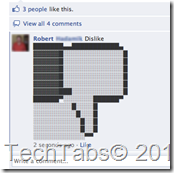
Text art, also called ASCII art is a modern form of art. It's about making pictures with text symbols.dislike-thumbs-down-facebook-ascii-art-special-text-symbols
I noticed that in many Facebook profiles and pages, they have many pictures and they like artful text pictures. People have been putting text images composed of symbols into comments on my pages  and as status or something.
So I thought if you guys like it so much, why won't I make a collection of these pretty things? And I did! I started collecting them from your comments and profiles. I, also, searched the net a bit, but I only found a few good text arts that work on Facebook.
I've edited some to look even better.

Get the new YouTube | Video Tutorial

YouTube
That’s a cool one! YouTube is currently testing a new homepage design for its users. Since YouTube is currently testing this new design, not everyone can get. However, we’ve good news for you, you can get the new homepage design right now before everyone else thanks to the powers of the internet.
New YouTube Layout | Tech Tabs

Protect your Facebook Account

Several times a month I learn that one of my friends on Facebook has been hacked.
2011.8.10-Locked
Here are some simple practices that will help to prevent that from happening.

Can your Computer run that Game?

Capture
When a game is released, before buying it the first thing you worry ‘bout is ‘Can I run it’?
Like  I am a Diehard fan of Call of Duty, specially the Modern Warfare series and Modern Warfare  3 is released on Nov 8th   and before buying it I will insure that my pc will run it smoothly.

Can I run Battlefield 3, or Modern Warfare 3? Does my computer meet the minimum or recommended requirements for The Elder Scrolls V: Skyrim? Difficult questions. But evaluating whether or not your computer meets or exceeds hardware requirements is “Can you run it’’s specialty. Remembering your exact PC hardware specs is tough, deciphering the meaning of a PC game’s minimum requirements is challenging and combining those tasks together is almost impossible for mere mortals. But Can YOU RUN IT does this millions of times every month. See for yourself, takes less than a minute..

Microsoft SilverLight Client for Facebook released for Developers

Microsoft SilverLight Client for Facebook is really cool, sleek, Awesome Facebook client for Windows and Mac OS X.(DEV Version). I am really Impressed with this new Facebook Client.

Facebook's recent update "Timeline"

Facebook updated recently, but its updating again. Your Profile will get updated on 30th Sep.
The updated profile "TimeLine" which is only for Developers and some people (including me.. :D ) ites more like a scrapbook, a sleek and more customized. The facebook timeline will feature every bit of information in the social world about you in a well archived and structured manner.
You can rename the 'like' and 'recommend'. Watch videos, listen to music, read news from facebook.

The Timeline looks like this...

Don't Like the updated Facebook Profile? Get old one back!


Am back after a long gap. Facebook seems to be updated, while I was off. I can see some Lists, some subscribe button changes, the top bar is changed too, Newsfeed is changed again.. :\ with many small but useful tweaks, m.facebook appearance change  and facebook for android is changed and some small modifications too. I hope this is the same with everyone else too...


But if tou don't like your new Facebook profile get the old one easily by following the steps below :

Related Posts Plugin for WordPress, Blogger...

register